You will be given pictures and their descriptions. Each description will tell you a specific interaction between people and objects in the picture, for example, a person riding a bicycle. Your task is to draw tight boxes around each person and each object involved in the given interaction, and link a person to an object if you see the interaction happening between them.
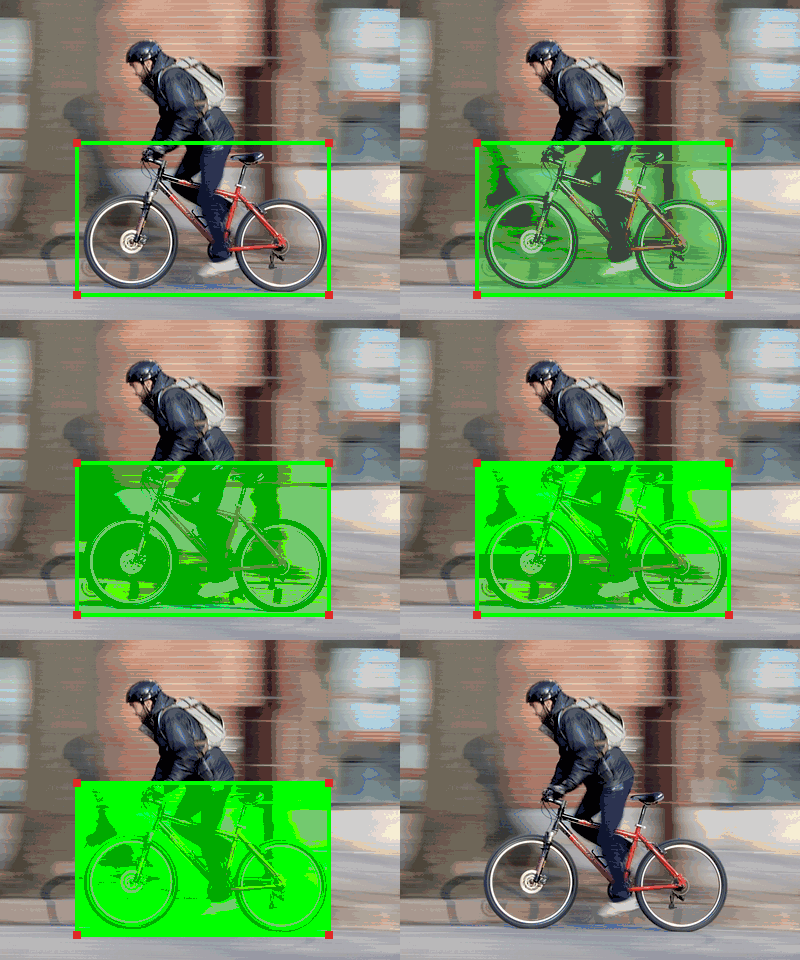
Sample annotations for the description "A person riding a bicycle."
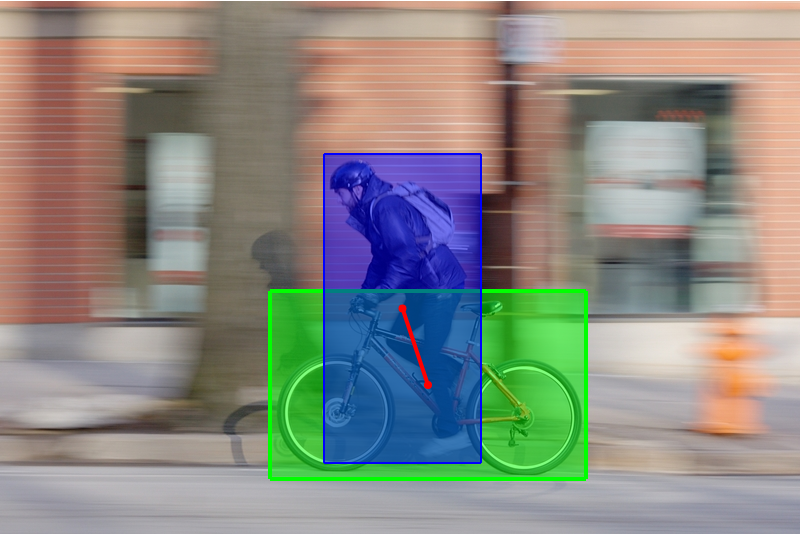
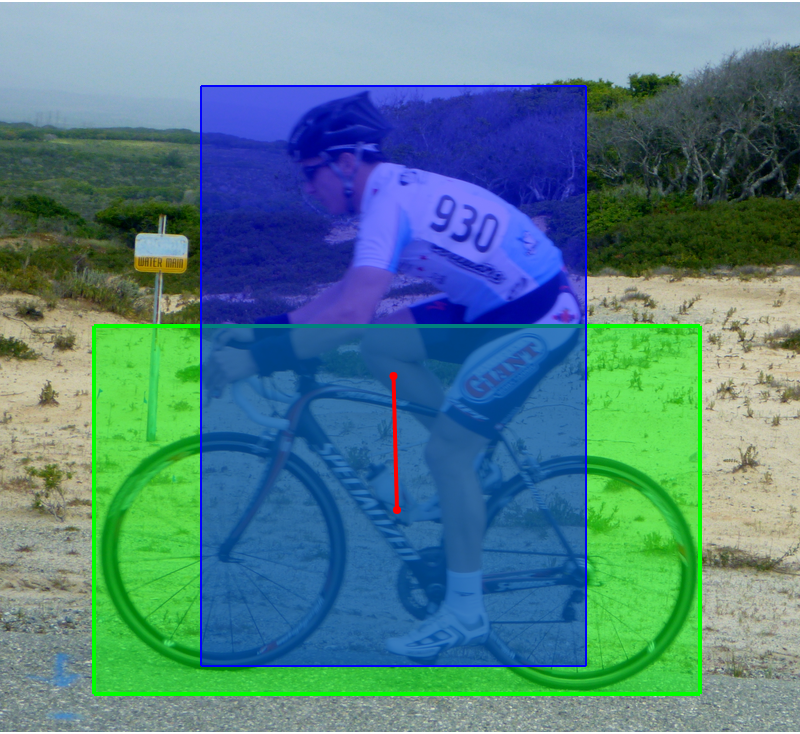
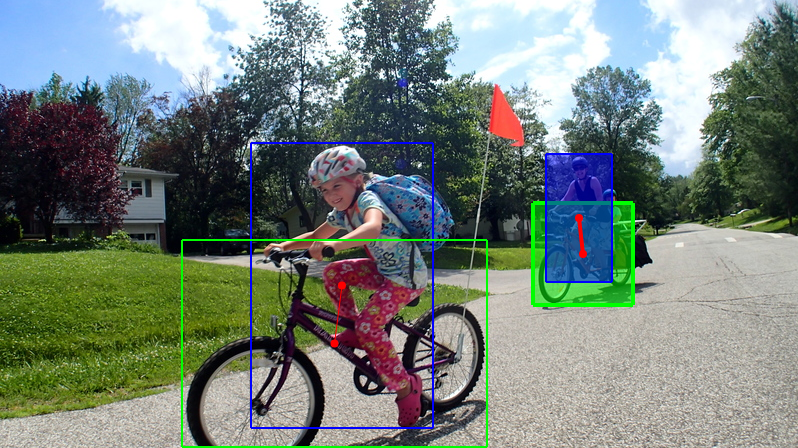
Once you start the annotation, your task for involves three steps:
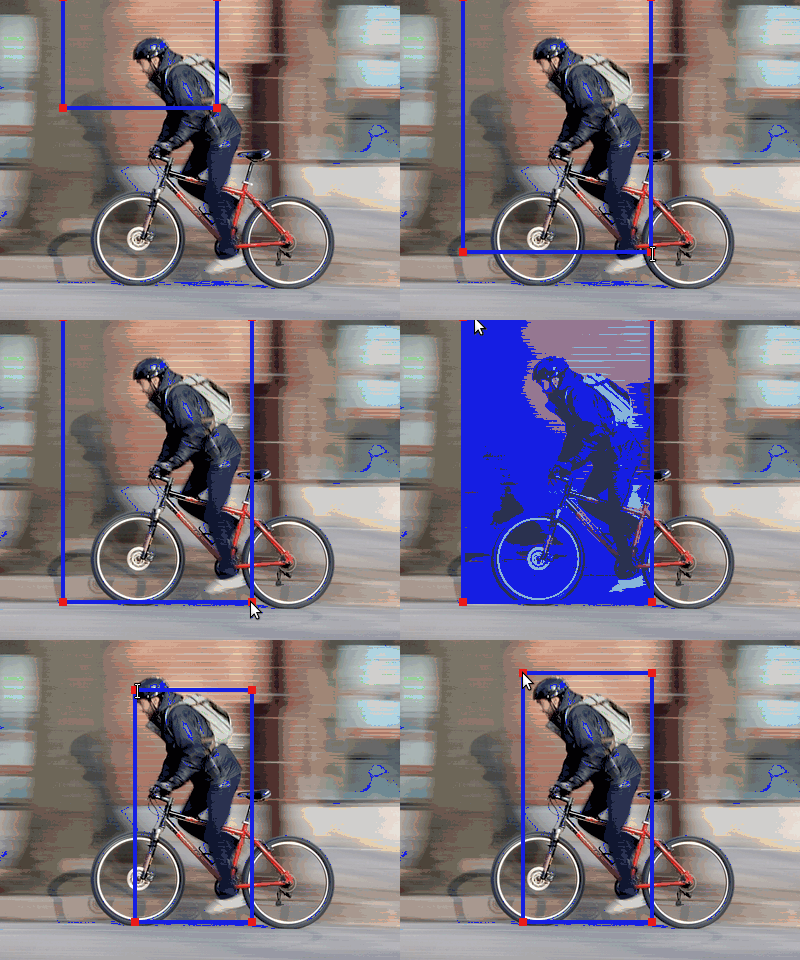
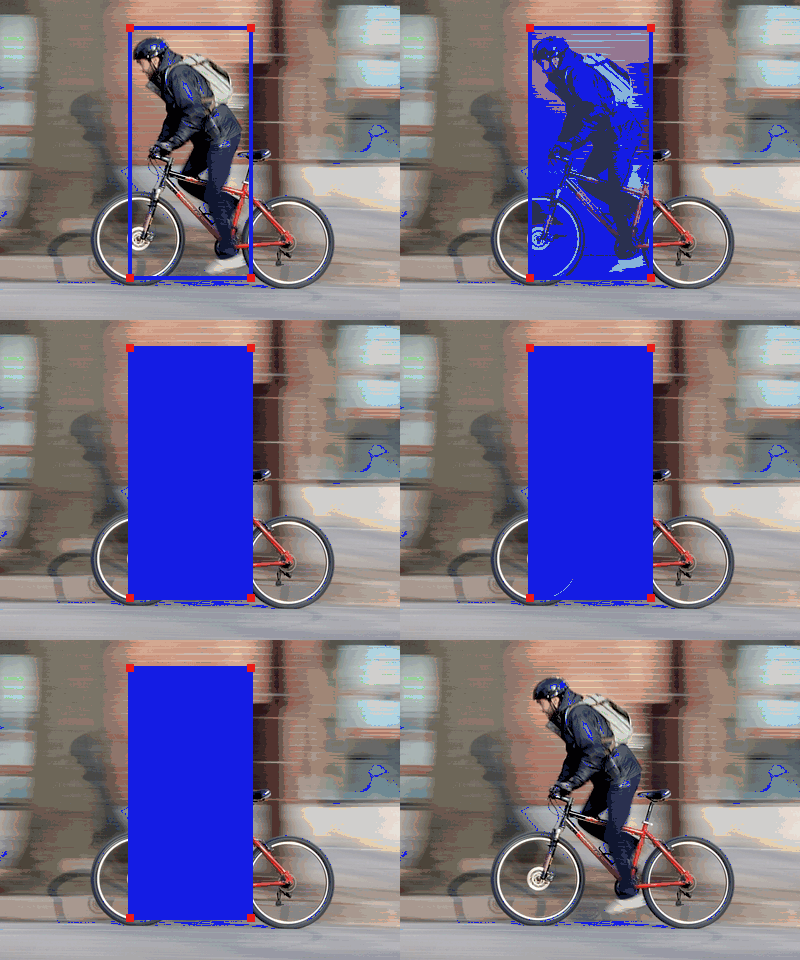
Step 1: Draw a tight box around each person involved in the interaction
Click to expand
For example, draw a tight box around each person riding bicycles; ignore all the people not riding bicycles.
-
Draw a box
- Hold down your left mouse button.
- Move the cursor around.
- Release your left mouse button.
-
Adjust a box
- Move the cursor to one vertex of the box you want to adjust. You will see the vertex becomes bigger.
- Hold down your left mouse button
- Move the cursor around.
- Releasing your left mouse button.
-
Delete a box
- Click on the box once. This will highlight the box.
- Click on the box again. This will delete the box.
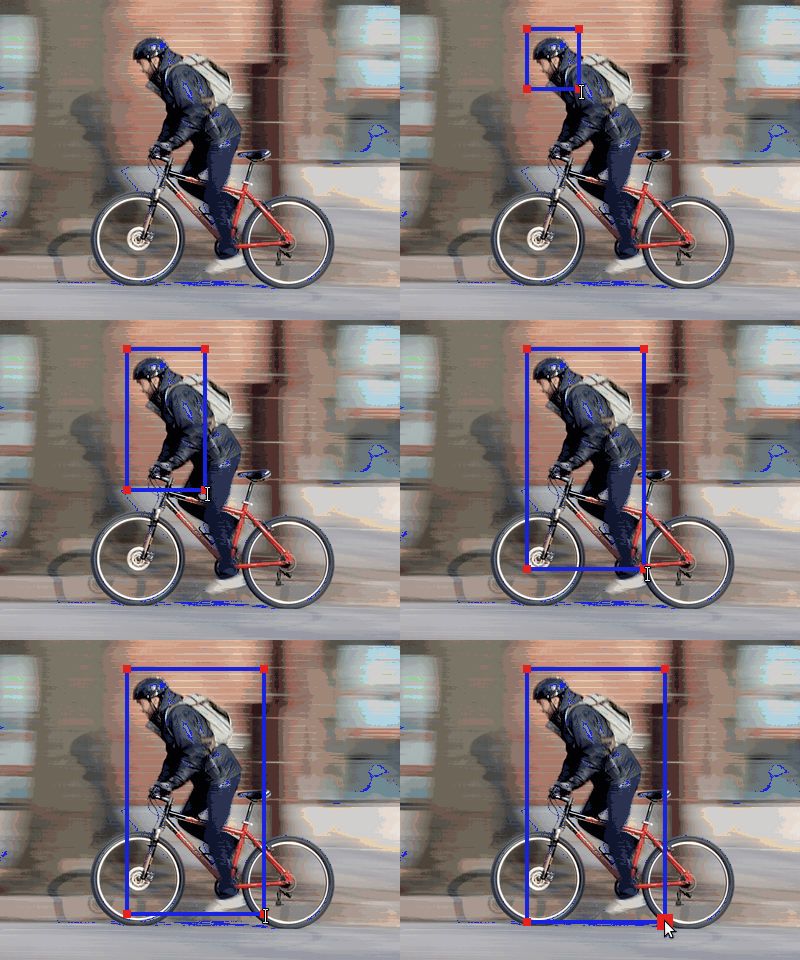
Step 2: Draw a tight box around each object involved in the interaction
Click to expand
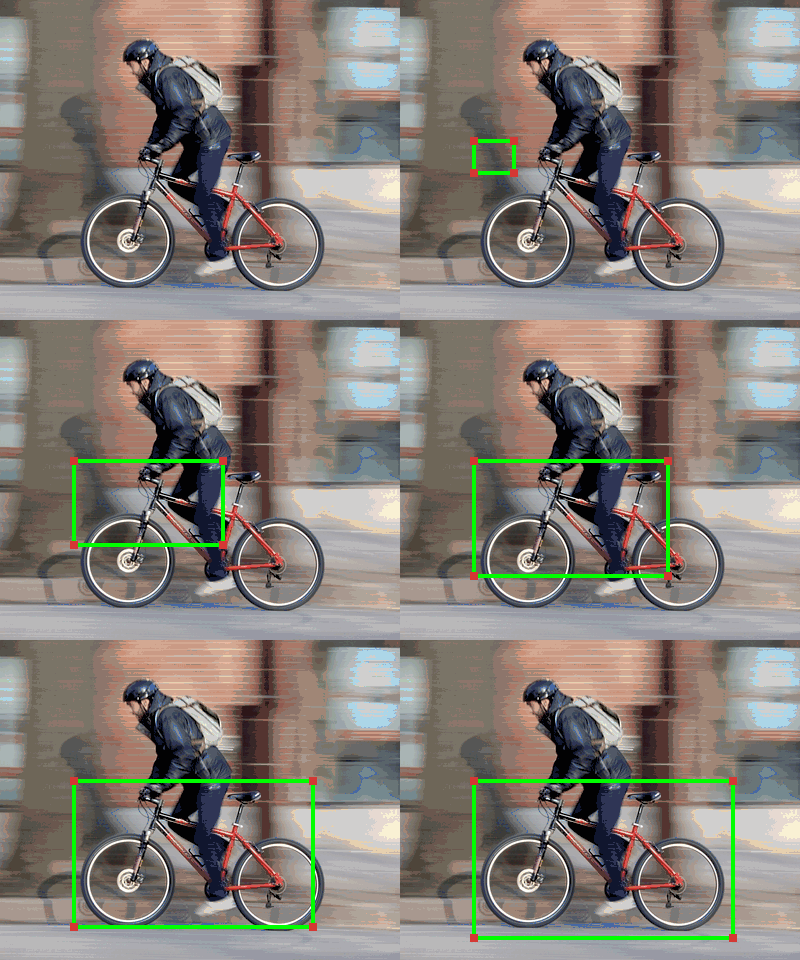
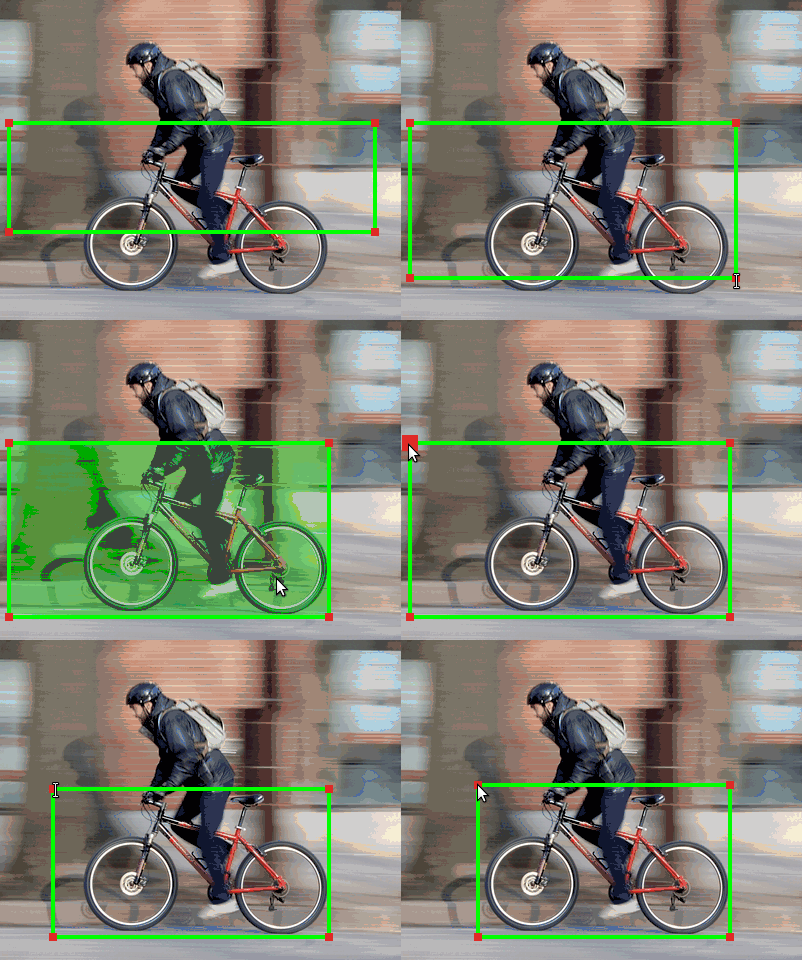
For example, draw a tight box around each bicycle being ridden by people; ignore all the bicycles not being ridden.
-
Draw a box
- Hold down your left mouse button.
- Move the cursor around.
- Release your left mouse button.
-
Adjust a box
- Move the cursor to one vertex of the box you want to adjust. You will see the vertex becomes bigger.
- Hold down your left mouse button
- Move the cursor around.
- Releasing your left mouse button.
-
Delete a box
- Click on the box once. This will highlight the box.
- Click on the box again. This will delete the box.
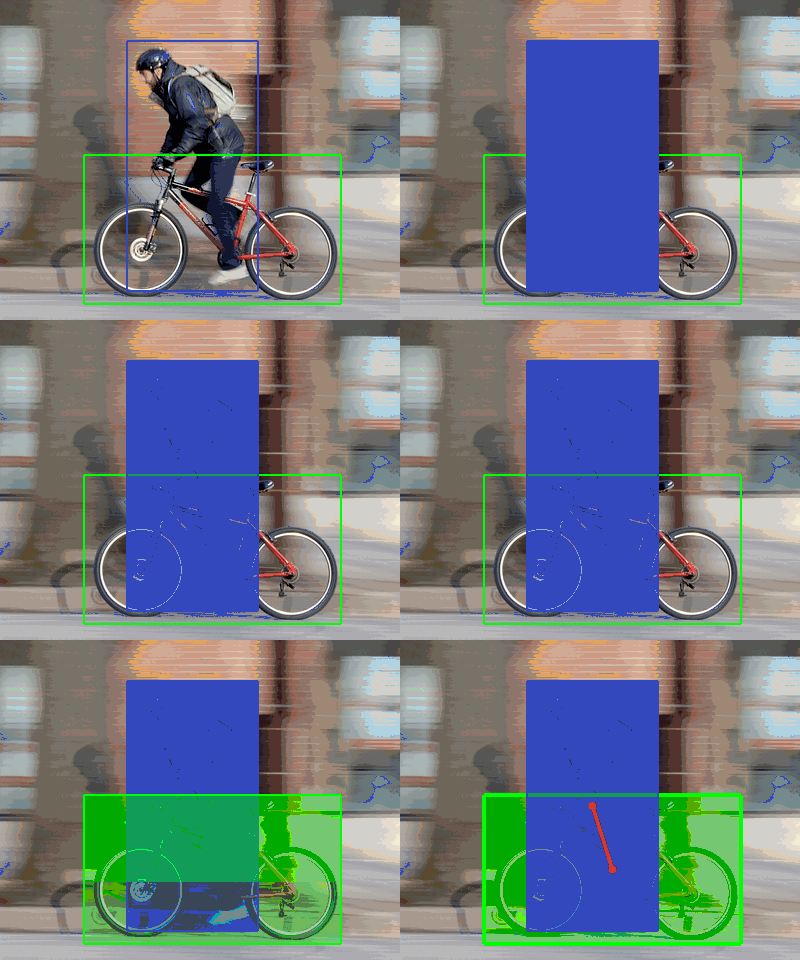
Step 3: Link a person to an object if the interaction is happening between them.
Click to expand
For example, link a person to a bicycle if that person is riding that bicycle.
-
Select one person and draw links to all the objects which he/she is interacting with.
- Click on one person box. This will highlight the person.
- Click on one object box. This will draw a link from the person to the object.
- Remove a link by clicking on the object box again.
- Switch to another person by clicking on another person box.
- Repeat until all the person boxes are done.
If the person or object involved in the interaction is not visible in the picture, you should check the square box under Reset and skip the picture.
Notes
- You are free to swtich between steps. You can always go back to previous steps if you need to make changes.
- If a person or object is occluded or cut by the picture, draw a box only around its visible part.
- Do not draw box around people or object that is not involved in the interaction.
- Make sure you link every person-object pair where you see the given interaction.
| If a person or object is occluded or cut by the picture, draw a box only around its visible part. | |||
A person riding an airplane.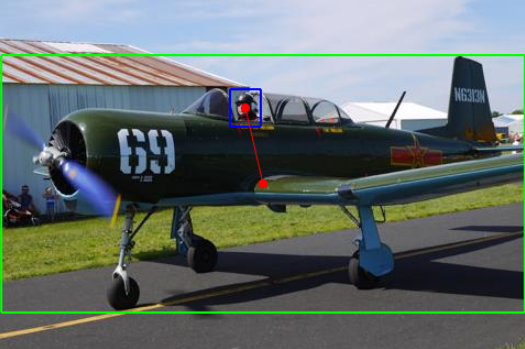
|
A person feeding a bird.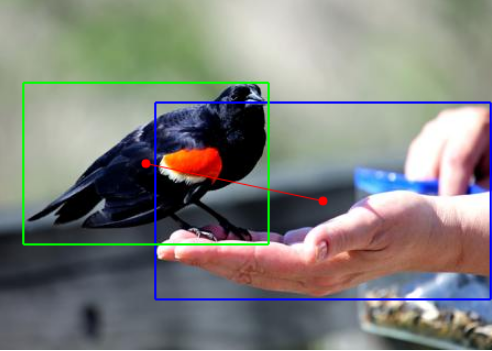
|
A person petting a bird.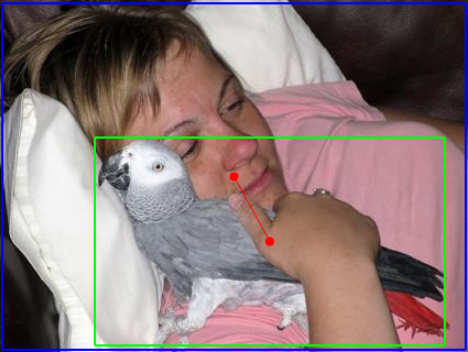
|
A person exiting an airplane.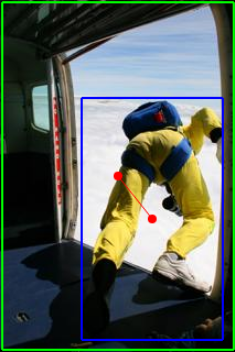
|
| Do not draw box around people or object that is not involved in the interaction. | |||
A person washing a bicycle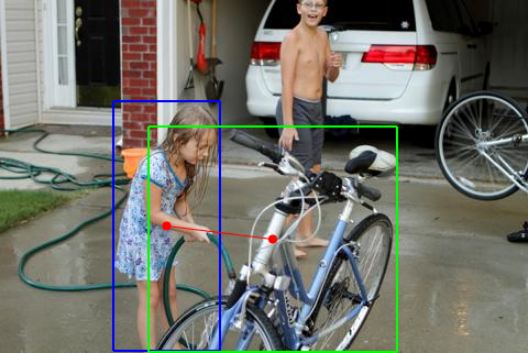
|
A person tying a boat.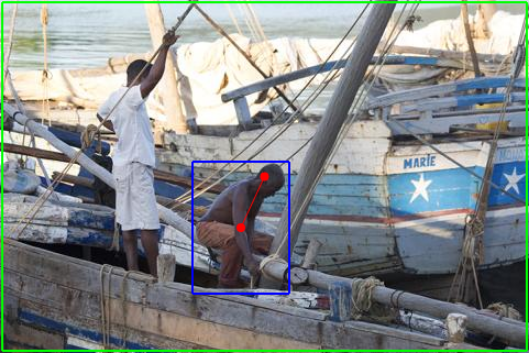
|
A person repairing an umbrella.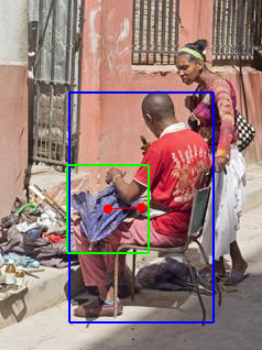
|
A person hosing a car.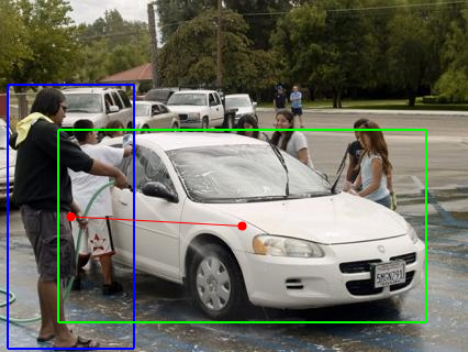
|
| Link every person-object pair where you see the given interaction. | |||
A person boarding an airplane.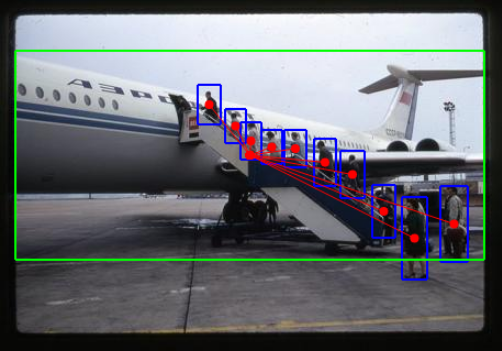
|
A person chasing a bird.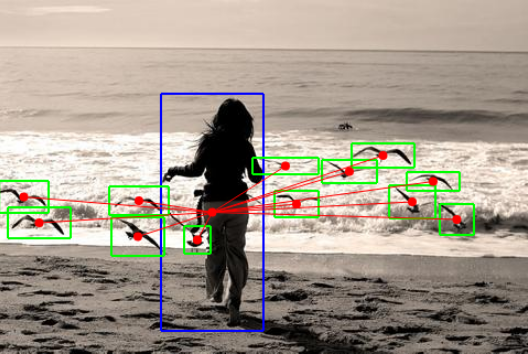
|
A person herding a cow.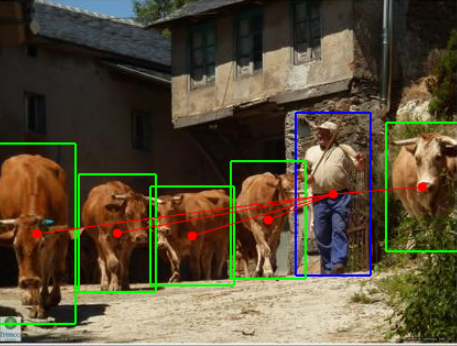
|
A person eating at a dining table.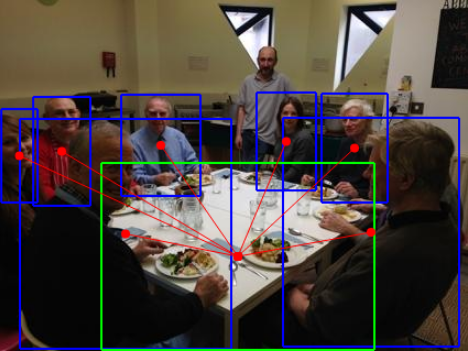
|
Keyboard interface
- G / A : Go to the next/previous picture.
- S: Switch to Step 1.
- D: Switch to Step 2.
- F: Switch to Step 3.
- R: Reset annotations on the current picture.